


Anyone who checked out my “Design Leaders Toolkit 2023” article will know that my go-to task management app has been TickTick — and with good reason. The free version is excellent and the paid version is fantastic and not expensive.
On TickTick, my default way of working was to drag my tasks for the day — ordered by priority — onto the calendar and place them in the gaps between meetings.
It worked but it wasn’t perfect, so I went searching for some alternatives.
In steps Sunsama
As a designer, I appreciate that the tool feels well-designed and simple. It feels light to navigate and the interactions are snappy. The attention to detail is amplified by the heavy, and well-considered, use of shortcuts across the app. Within minutes, you can be set up with your connected calendar and be ready to plan out your days and weeks.
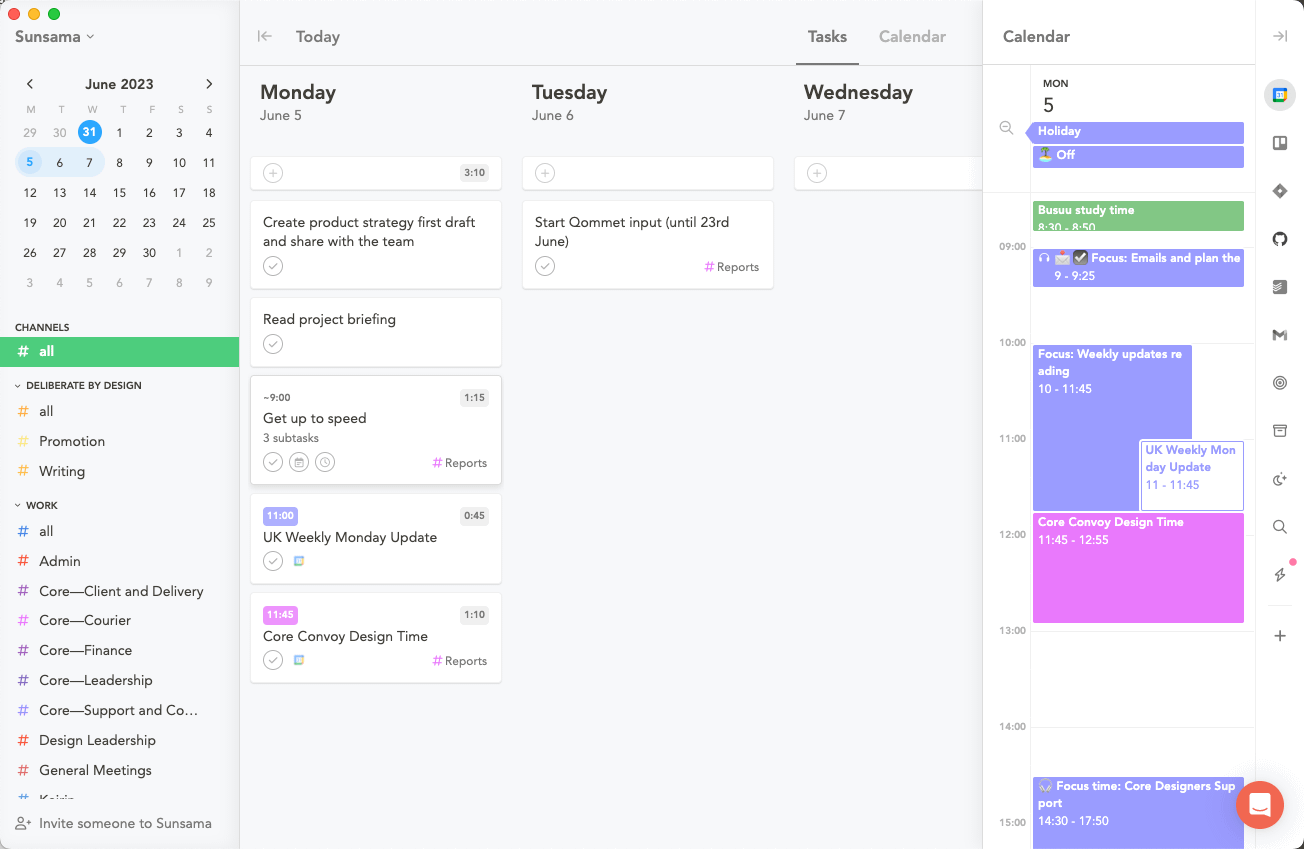
Meetings = To-dos = Chunks of time
First off, let’s acknowledge that meetings and to-dos are essentially chunks of time spent focusing on something, I have always tried to find the best way of reflecting that reality in the tools that I use but it has never felt fluid — until now. In my previous post, I shared why most to-do apps fail. Spoiler: it’s because they don’t recognise this fact in a streamlined way.
Sunsama, by contrast, has baked this thinking into their DNA. In fact, after you sign up you will be fed a series of emails from the team that elaborate on their principles and how to think about and plan your days. These folks get me — they really, really get me!
Visualise your time with colour coding
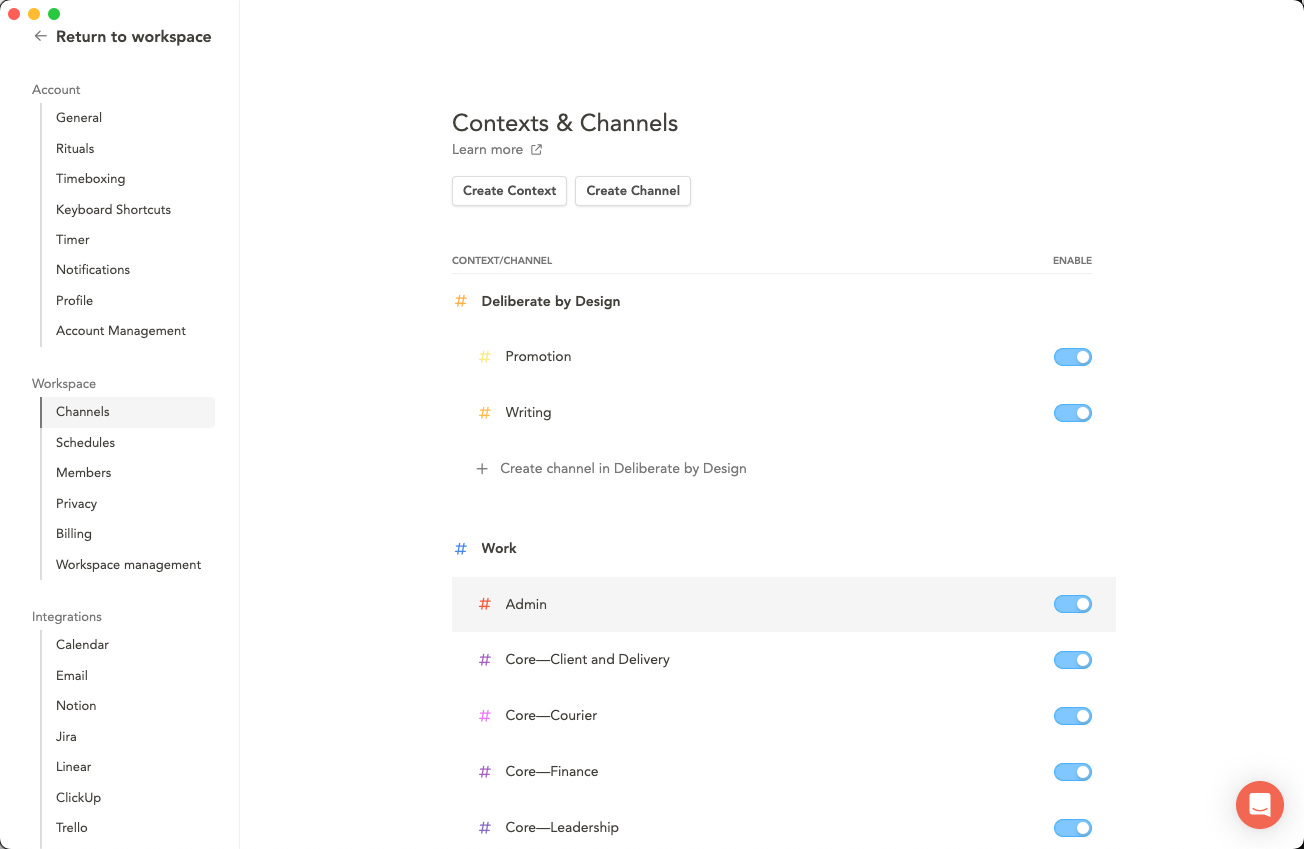
For those who want to easily see things at a glance, colour-coding your tags and calendars will immediately help you to get a sense of your day. I use colours to differentiate life, work and this writing project. Within each of those I also have some further colour breakdown to help easily visualise where my time is going.
What’s especially nice is that the colour coding is subtly reflected through the tag list, the time marker on the list item and also the calendar itself. This subtle, but powerful continuity allows you to quickly scan and see where your time is going and if you are perhaps context-switching too much.
Re-wiring the process
We all have our own flavours of planning and organisation. I thought mine was pretty good and well structured, though there were days I would slip and simply jump into “doing” mode. The reality for me though is that there are long-term strategic topics to plan, team goals to be supported, individual work to be done on specific projects and, of course, a sprinkling of admin and meetings for good measure.
Start with the end in mind
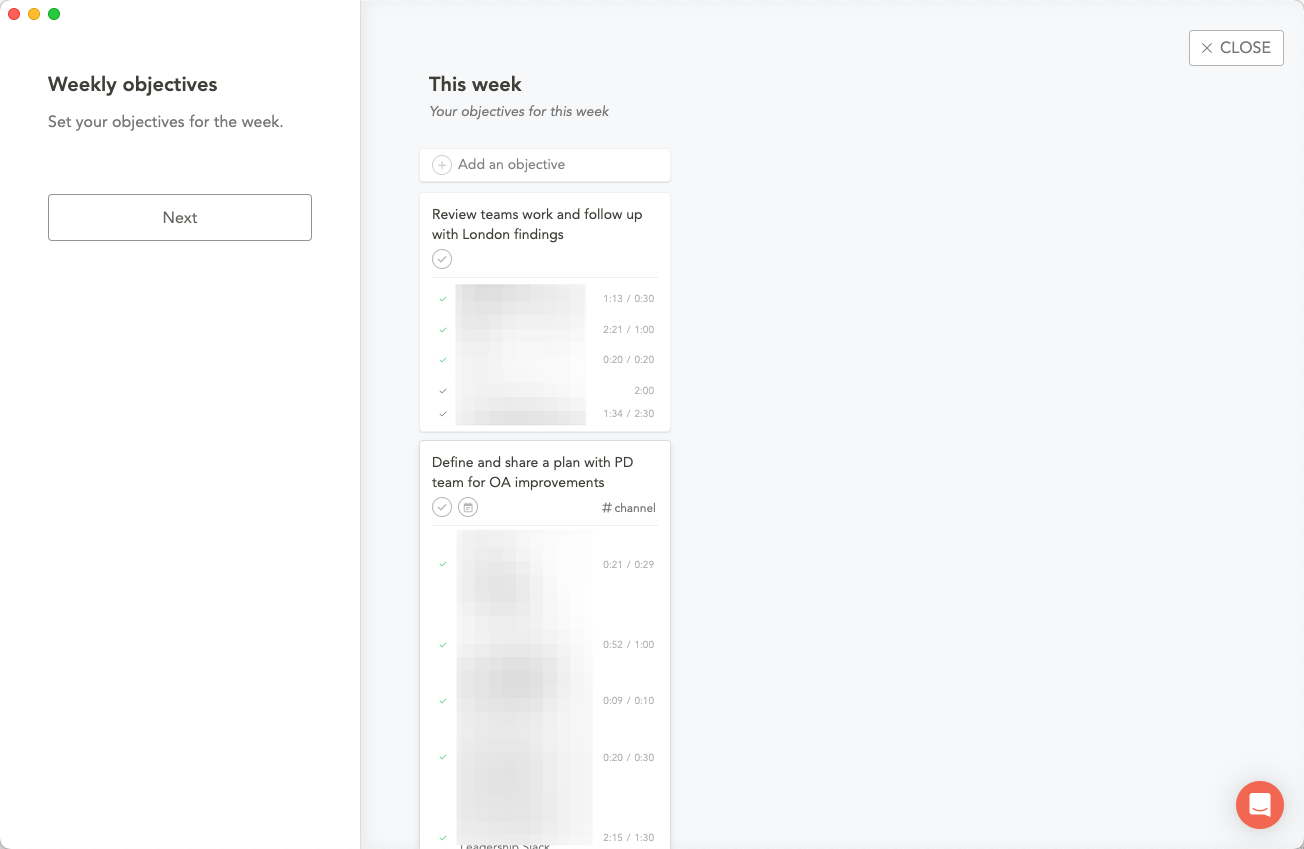
When kicking off the week, Monday for me, Sunsama prompts you to set weekly objectives. I’ve been aiming for no more than three to help stay focused. Just this simple prompt to think beyond individual tasks has been a huge help. It forces me to think about where I want to be on Friday afternoon.
This prompt also plugs in nicely with the Most Important Things (MITs) ritual that was introduced to the team a few weeks back which has helped to reinforce this habit. Put simply, you set some high-level objectives for the week which your tasks can then be linked up to. This way, you will be able to see if you are actually focusing on the big picture vs doing busy work.
Make time for planning
Now that we are clear on our goals for the week, we can now go a level deeper and look at each of the days and the work that we will do. The Kanban view of the days and tasks helps you to easily move things to later in the week (there are also shortcuts for that).
The attention to detail in the overlap between tasks and time is evident throughout the app. It’s super easy to set expected timings against certain tasks. For example, sending an update to the team should take no more than 10 mins, but working on a strategy doc could easily eat up hours of work. Having this “honest conversation” with yourself quickly grounds you in the actual amount of time you need. When you see this all laid out in front of you, saying no becomes much easier.
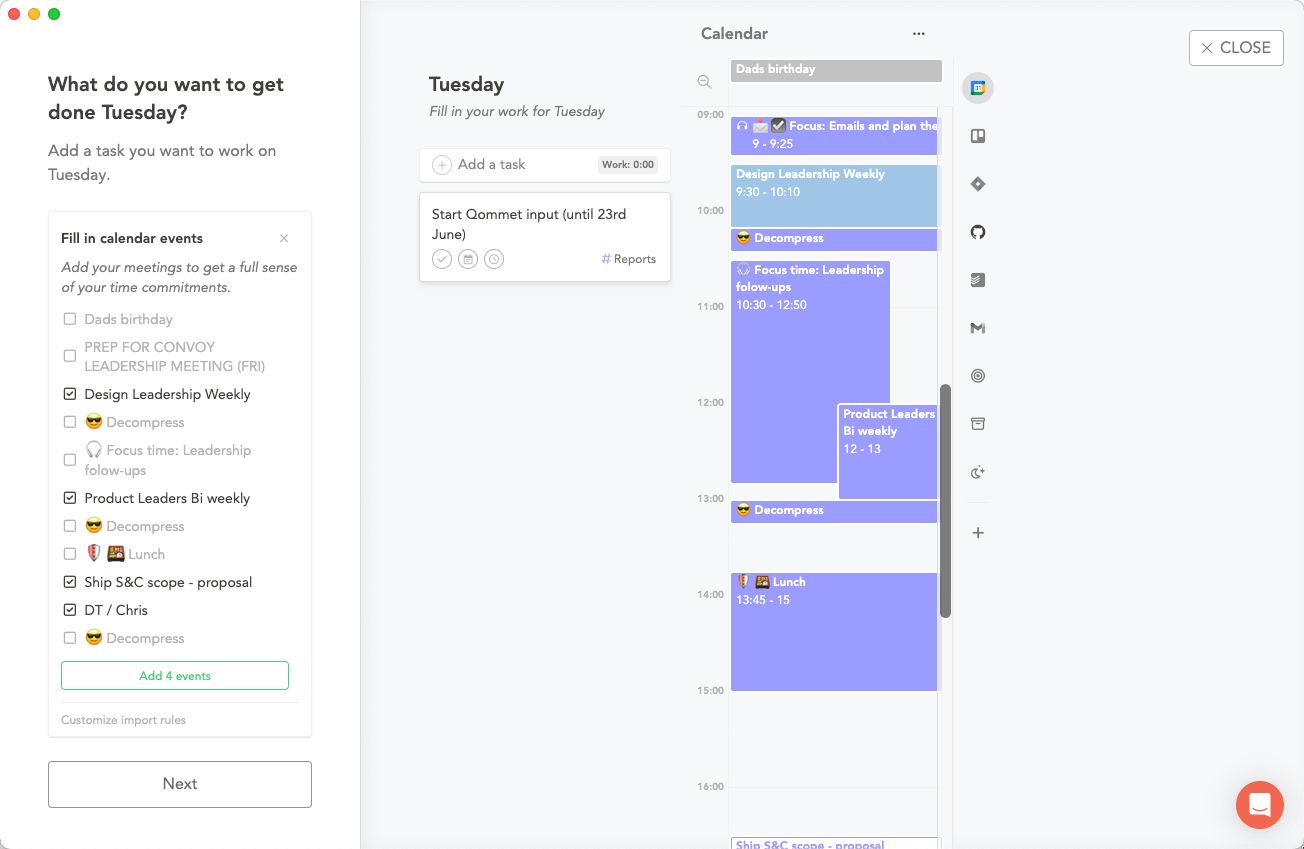
When planning, you can see below that you are immediately dropped into a view that compares your task list with your calendar. You can also choose to pull certain meetings into your tasks list — ‘cause let’s face it they are all “chunks of time”.
Be realistic
Now that we have added some tasks and dropped our meetings onto the list we can see that the meetings alone will take up 2h 40m of my day. Now it’s time to timebox the tasks to check if we are being too ambitious.
Taking the example below you can see that when I start to estimate the effort for each task, the time counter updates. As another nice design detail, it starts off grey if things are reasonable (less than 6 hours). When you’re in the 6 – 8 hour range, it will turn yellow and once you are past that 8-hour mark, it becomes amber.
This small, but significant, visual cue acts as a reality check on your plans. When this happens, you are one shortcut away from sending some of those tasks to the next day.
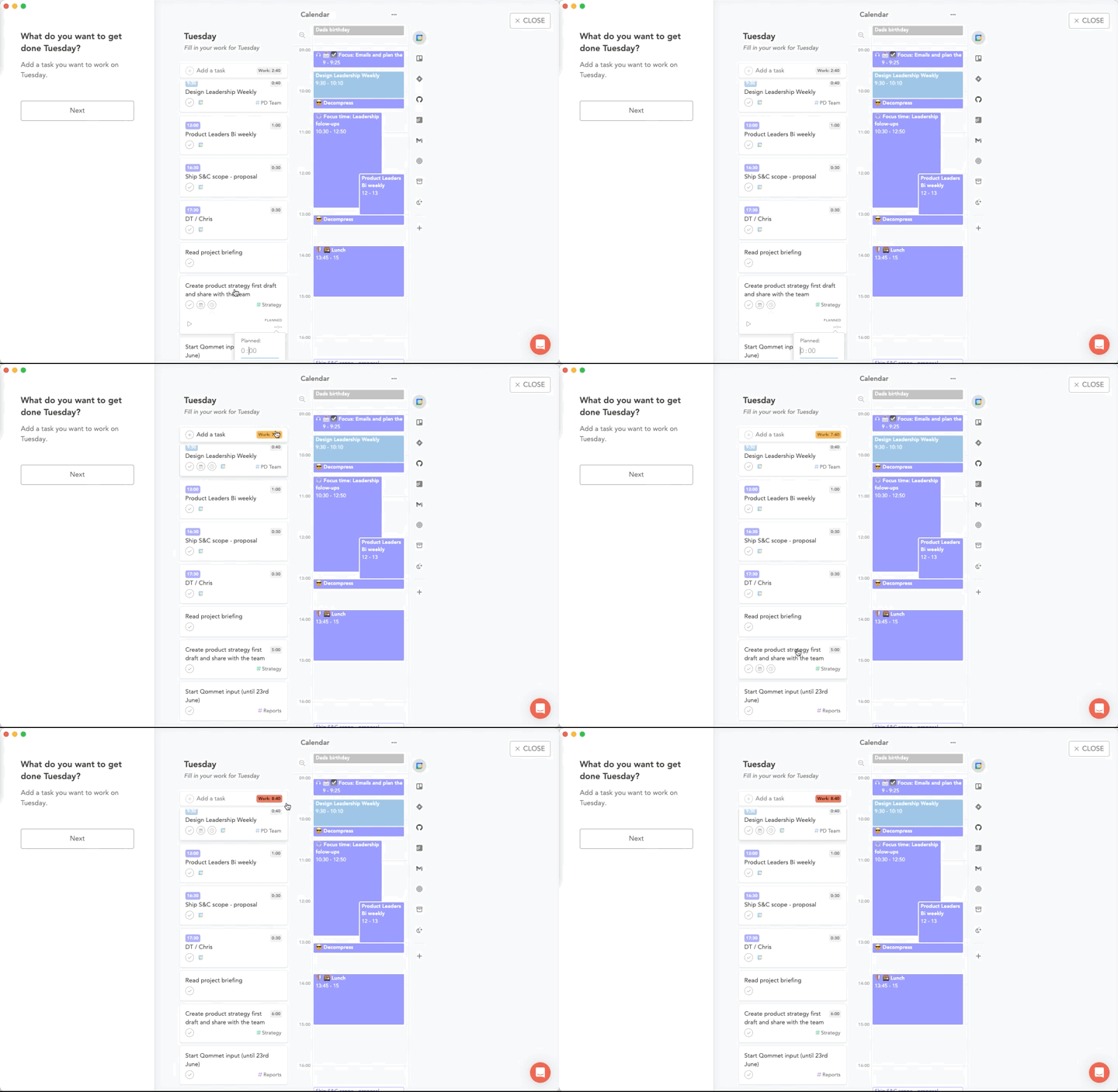
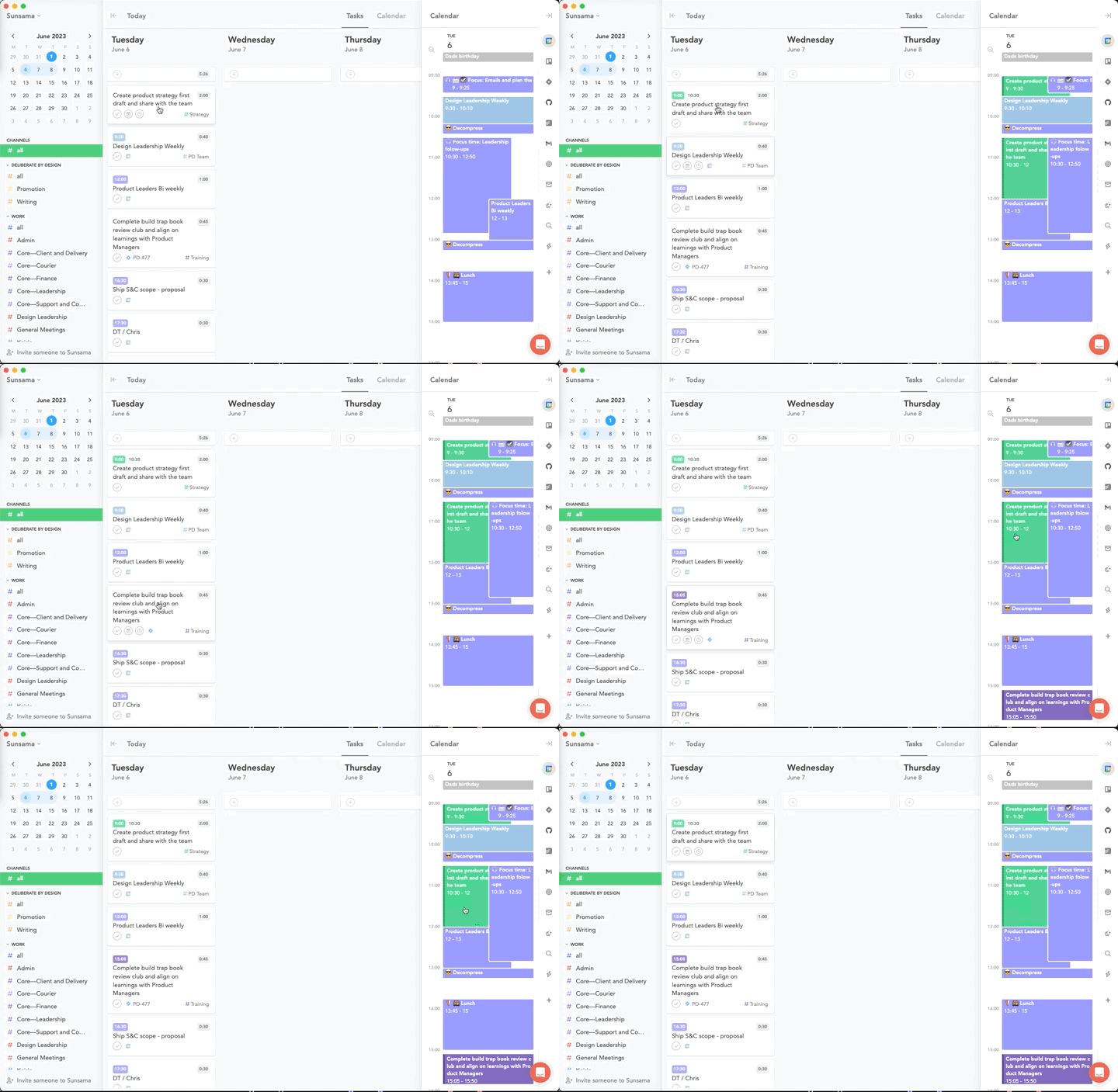
In addition to surfacing the true time needed in order to complete your planned tasks, Sunsama makes it easy to schedule that work directly on your calendar. Simply pressing X while hovering over a task will find the next available slot and block out that time for you. It will even split the work, so if you have a mid-morning meeting that cuts through the amount of time you need, Sunsama will add a chunk of time before the meeting and the remaining chunk after.
If you try and over-subscribe, it will kindly suggest that you are perhaps being too ambitious and should maybe defer some work — another nod to their attention to detail when it comes to realistic planning.
Reflect often
I’ve found that the more you intentionally reflect, the faster you can accelerate learning and wean off of any bad habits or distractions. Once you complete your plan for the day, Sunsama offers to add a “Daily Shutdown” at the end of your day. This is a moment for you to reflect on your plan vs the reality.
Did you overachieve or underachieve?
Is there something completed today that you would like to share more broadly?
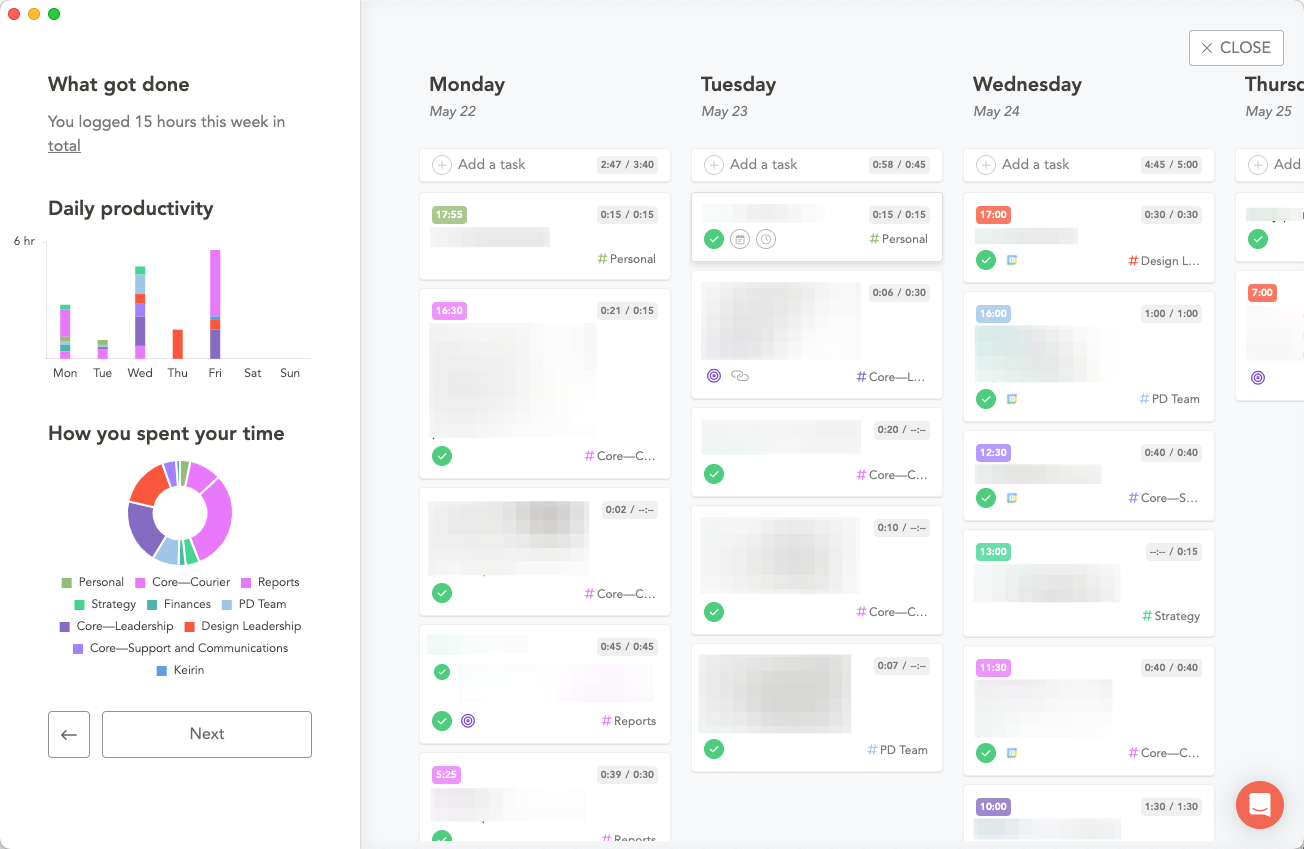
Having this handy ritual to end the day helps to keep us intentional in our day-to-day. Then, when the end of the week rolls around, we can easily look back and see the breakdown of where our time went.
Was your week spent on the right things?
Did you focus on the objectives?
Having this quantitative analysis helps to remove those perceived biases that may lead you to think you spent a disproportionate amount of time on one area vs another. It also acts as a great primer for going into the following week.
Remove the noise
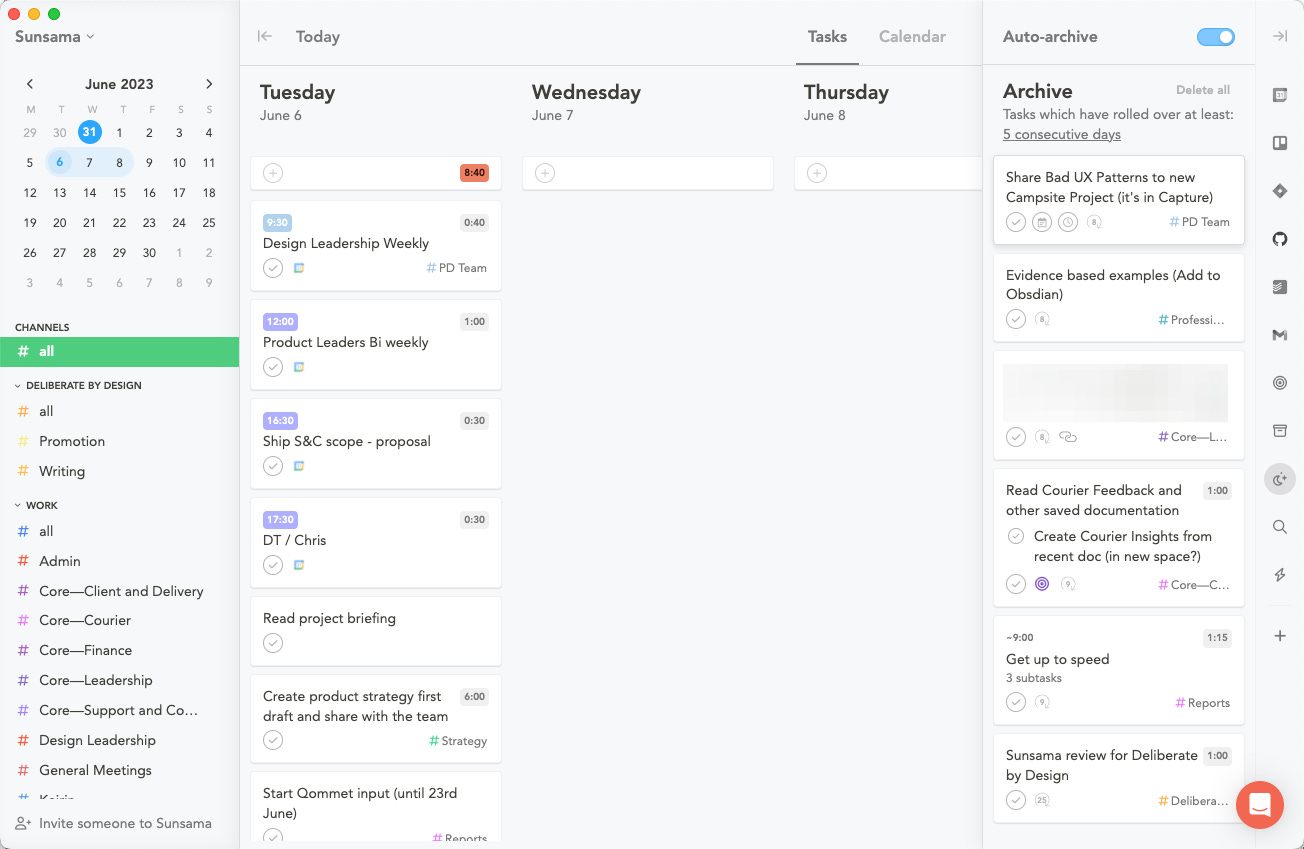
One of the biggest challenges I had in TickTick was that work that was not tackled as planned would keep stacking up in an evergrowing list to the side. This created a sense of anxiety and brought focus to what was not done vs what had been achieved. In Sunsama, if you have a task that rolls over for 5 days or more, it’s simply moved into an archive folder.
This way you don’t lose track of those tasks but if they were being constantly deferred perhaps they were less important than the other tasks you decided to work on anyway. The concepts of setting a daily time budget, shifting tasks to the next day and filtering out untouched work really sets the tone and a new way of thinking when it comes to managing your workload — and it’s a refreshing one.
Stay focused
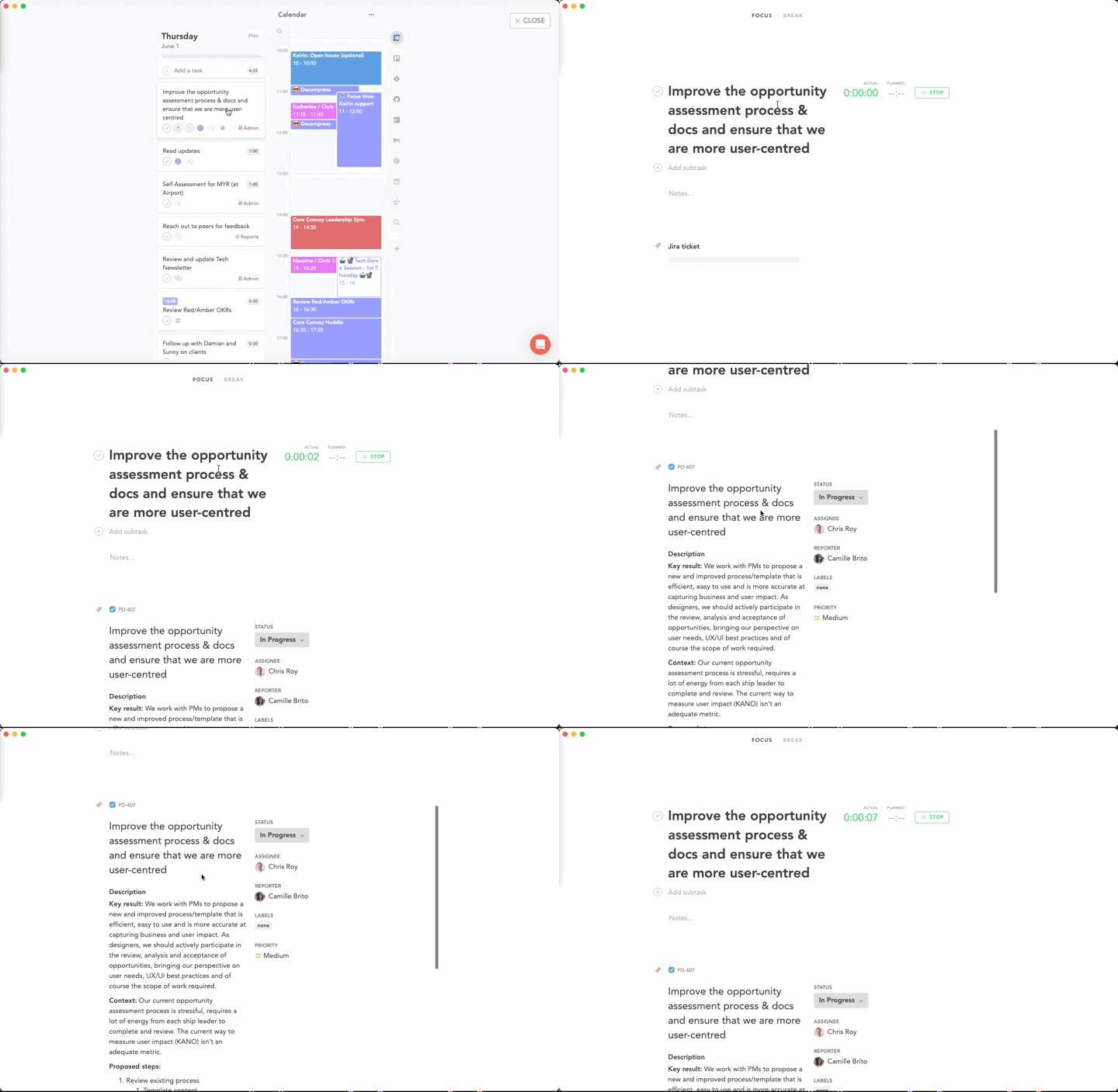
So, you have planned your objectives for the week and your plan for the day. You have removed all of the noise and are ready to get to work. A final feature, and an integral part of succeeding each day, is to stick to your focus, and this is something that Sunsama does very well.
When you are diving in, tapping the T key will take you into “Today” mode where you will only see today’s tasks and today’s calendar. All are neatly laid out as planned. From here, you can simply head on over to the top of your task list and hit the spacebar to enter into focus mode. This also adds a floating bar above all windows that shows a clock of how much time you are spending vs your estimated time.
But wait, there’s more
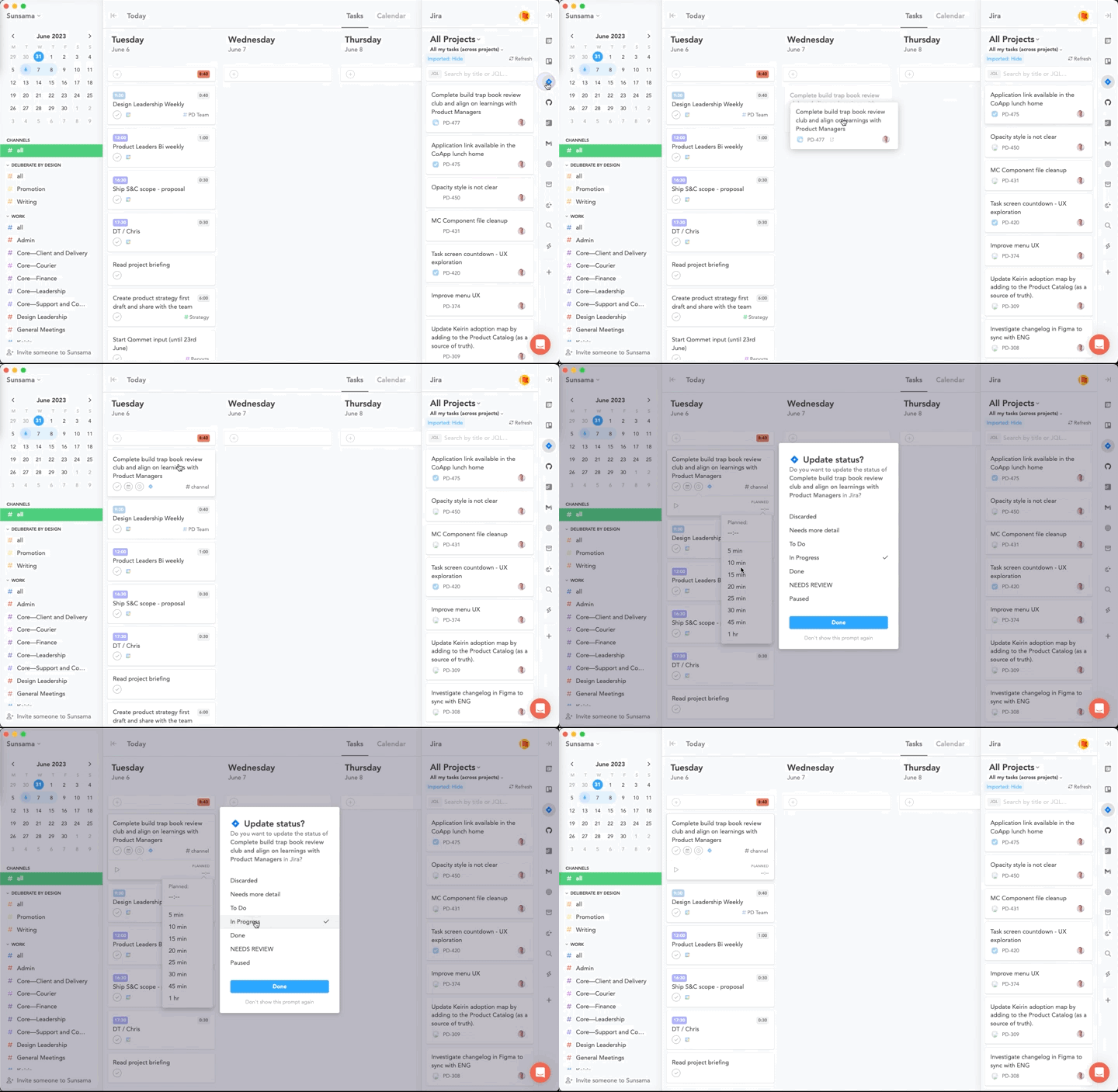
In reality, our work is spread across many places. Historically this would mean that I would have to manage my own task list and, in addition, review and manage work in other tools like Jira.
With Sunsama, I am now able to get a unified view across these different tools, including email. This way, I can bring all of my work into one place and objectively plan the best way to tackle it vs blindly ignoring all other streams of work.
The wrap-up
I have spent a lot of time over the years trying to hone my organisational skills and I aspire to be lazy in the sense that I am able to do more work with less. This is why I seek out tools like this, to help streamline my workload and help me to be more efficient and effective in the way that I work. To summarise the key benefits that I’ve found by using Sunsama I’d call out:
The constant reminders and prompts to create realistic plans
The honest reflection of workload reflected across your tasks and calendar
The importance of running regular reflections and creating a continuous learning loop with yourself
Lastly, creating a sense of clear focus and being vigilant with how you are actually spending your time
In addition, I like to celebrate good products which have clearly put a lot of thought into it. From the way the shortcuts have been set out — using Q, W, E, R, and T as the main shortcuts for each task was not coincidental.
On top of that, the contextual support and advice along the way and the well-timed email digests show that the team have thought long and hard about what good, focused productivity looks like.
Just to be clear, I am not affiliated in any way with Sunsama — I just think it’s a well-executed product that I wanted to do a write-up on. I hope you found it useful!
Powering this week's thoughts
Music plays such an important role when I am thinking, working, and reflecting. I also find it interesting to see what others are listening to. It's a gateway into an aspect of their personality. That's why I'd like to share, with each article, an artist or playlist that I have been listening to that week. Here's this week’s: