


Where it all began…
Since the demise of Fireworks, I had done most of my design work in Illustrator and Photoshop. Then, whilst working at Skyscanner, this new tool called Sketch was gaining popularity. Being an early-adopter, I was eager to try it and after making the switch, I never looked back — until recently…
Working in siloed squads with little need to collaborate with other designers, and before Design Systems were in full swing, working on an isolated file shared across Dropbox seemed to work just fine.
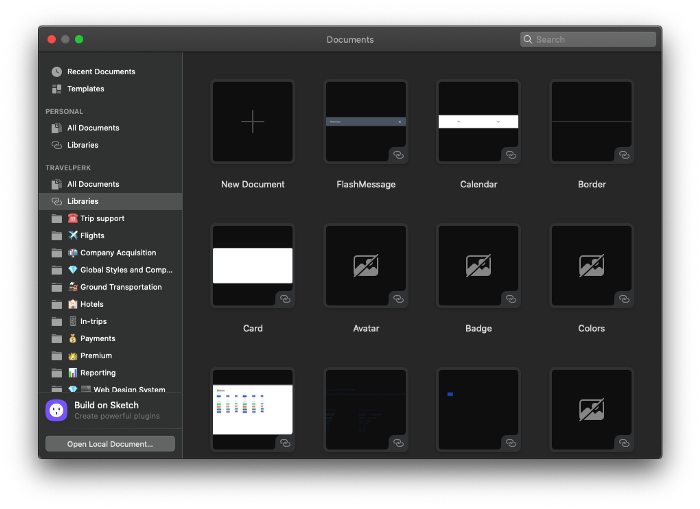
Moving to TravelPerk to lead the design team, I found myself working across many aspects of the product, constantly syncing and sharing assets with other designers. For a short while, we were using Github to keep track of our files and changes, but git is not great for differentiating between binary files. We then attended a local Meetup to hear about how to version control design files and discovered Folio.
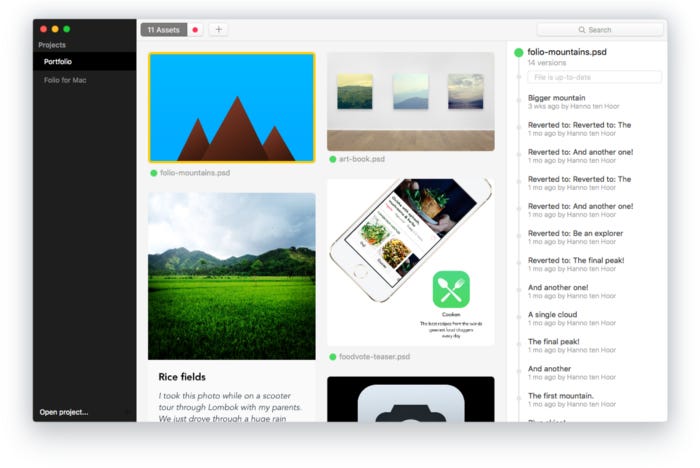
It “worked” for a time, though would sometimes hang or leave us wondering where certain versions had went. It was definitely an improvement on our previous workflow but was far from perfect — or fast.
Then, when Sketch introduced it’s new text-based format for it’s proprietary files, it meant that differentiation between versions were now possible. This, in turn, welcomed the introduction of tools like Abstract and Plant to better manage the different versions of your design files.
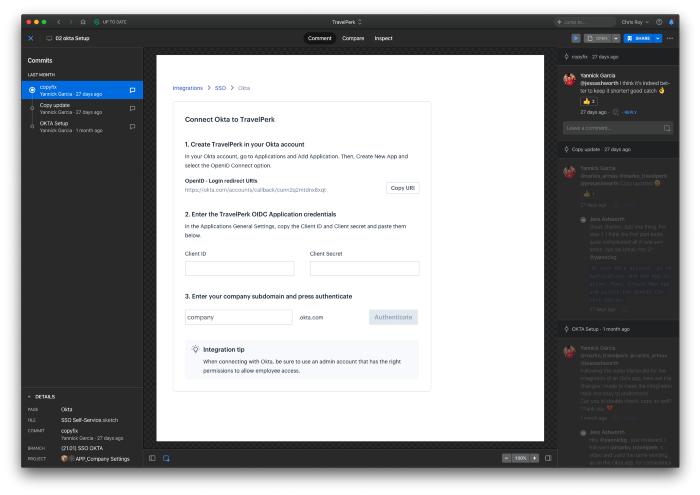
Working as a team of ~2 designers for 3 years, the blend of Sketch and Abstract worked well. It too was not “perfect”, but definitely allowed a much stronger workflow than we had ever had before.
More squads, more tools
The end of Q4, 2019 saw us build out our first dedicated native apps squad. This was a great leap forward for the product team and brought with it new engineers and a new designer, focused on building our app for both iOS and Android platforms.
This was all great…until we realized that Abstract, at that time, was not working so well for iOS and Android projects. With tight deadlines, the team quickly adopted Zeplin as the handover tool of choice as this had far greater support for generating styles and assets for native mobile products.
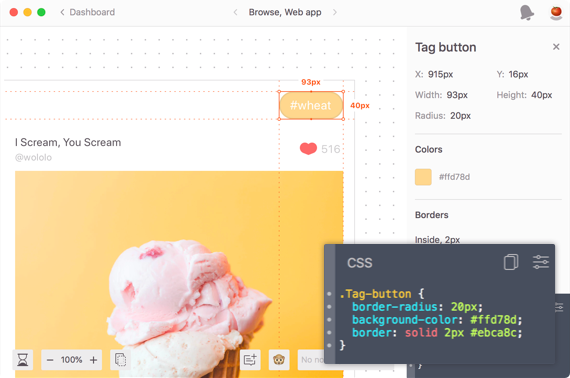
I was reluctant to support the move, but didn’t want to block the team, so as they set off down the Sketch + Zeplin path, the designers and engineers working on the web app stuck to Sketch + Abstract. This made me itchy.
On top of all of this, our Product Design team had grown from 2 at the start of 2019, to 4 during summer, and then finished up at 10 by the end of the year. More people, using more tools could only mean more confusion and lost communication. It was time to change.
Around this time, Sketch Cloud was in beta and could potentially solve these problems — I thought. I took some time to dive in and see if I could replicate the project structure and workflow that we had with Sketch + Abstract but inside of Sketch Cloud. The short answer was: I couldn’t. The need to still jump between the native Mac app and the browser made it still feel like I was using different tools and added additional friction and distraction to the workflow. Couple that with the fact that we couldn’t add annotated comments, it began to feel like a downgrade from the Sketch + Abstract setup. I was just looking for a more simplified and streamlined workflow.
More tools, more confusion
Being split across many tools is not inherently a bad thing. It really depends on how you work. Given that we, as a design team, are highly collaborative and regularly review and critique each others work, being on the same page was fundamental.
The reality of having two “finished” versions of design spread across Abstract and Zeplin began to lead to confusion within the team. Not to mention the additional costs and account management as people come and go.
Comments and asset export was now a shared responsibility between Abstract and Zeplin which long-term was not sustainable. If designers or developers were to switch squads (which happens) it would mean learning new tools to access the same designs. It just didn’t make sense.
Kicking the tires
Moving away from tools which people have become used to will always be met with resistance and will of course cause some sort of disruption. But the “we’ve always done it this way” is not how we work, so I began to look at our options on how we could improve the situation.
Luckily for me, the need to look at switching tools came just before the Xmas holidays which is an opportune time to do some “housekeeping”. In the business travel world, this is by far our quietest time (save for the COVID-19 crisis that has just struck as I am editing this article). So, rather than running through sprints to deliver on squad work, there would be a bit of breathing room to clean up components and explore new ways of working.
Leading from the front
Before getting ahead of myself though, I wanted to kick the tires on what I thought our new process could look like before introducing it to the team. How could I convince my team without first convincing myself? I had to invest my own time to see if this was a worthwhile venture before even considering to ask my team to do so.
Having previously looked at Sketch Cloud and realizing that it was not suitable for our needs at the time, I re-opened a tool that I had left on the shelf some years back — Figma. I had been chatting about tools with an ex-colleague over beers when he passionately spoke of Figma, addressing my concerns over previously conceived shortcomings.
Giving a second chance
I had been a long-time skeptic of the tool, turned-off by the web-based nature and the concept of collaborating on a design file. It just felt like the reliability would be at risk by depending on the browser. Coupled with the idea of not being able to work “offline” I saw those two topics as a blocker.
Then, the single most notable aspect of the tool — the ability to collaborate with other designers — just felt gimmicky and I struggled to acknowledge what that would look like in reality. It sounded more chaotic than useful.
The tool has advanced a lot since then and all of my concerns had been blown out of the water. Being able to get things set-up in a way that would allow us to mimic how we worked, but all within one tool, gave me confidence that this could work.
Overcoming fragmentation
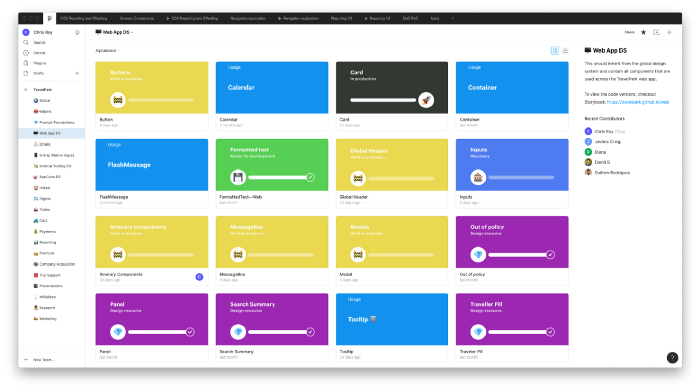
You see, one of the biggest concerns I had coming into this switch was the fragmentation of tools and communication. Moving to Figma would give us a design tool, prototyping, commenting, project management and versioning all in one place.
Sketch Cloud is moving in that direction, but the need to push/pull and jump back and forth between the native Sketch app and the browser felt just as clunky and slow as moving between Sketch and Abstract.
In addition to this, our workflow always depended on Sketch and Abstract playing nicely together, so whilst Abstract began to focus on InDesign support, Sketch bugs could sometimes be left on the shelf and we had no control over this. With Figma, they don’t have this same dependency between tools.
The ability to stay, all-the-time, within a single tool to achieve your goals is not a trivial aspect to be overlooked. This has been, by far, one of the biggest productivity gains in switching to Figma.
Cost-savings
Not the most important aspect, but of course something to be considered among all of this, was the cost to the company for supporting our process. Here’s how it looked like before the switch:
Sketch: $864 annually for 8 contributing designers
Abstract $1,440 annually for 8 contributing designers
Zeplin: $204 annually for 1 contributing designer
Total: $2,508 per year for the team
Compare this with our new way of working:
Figma = $1,296 for 8 contributing designers plus 1 UX copywriter
For our Product Design team of 10 (we have a UX Researcher who only needs free viewer access), this has given us an annual saving of $1,212 based on our current team size, which we are continually looking to grow.
Getting buy-in
Having explored the available options and convincing myself that a move to Figma could work for the team and our process the next step was to officially communicate the move. This was done ahead of the Xmas break giving the team the space to experiment with the new tool and process and, of course, to challenge the new way of working.
If the team were to try and adopt Figma but disagree that it was better than what we currently had, then we would have space to review and discuss why before the next quarter got into full swing.
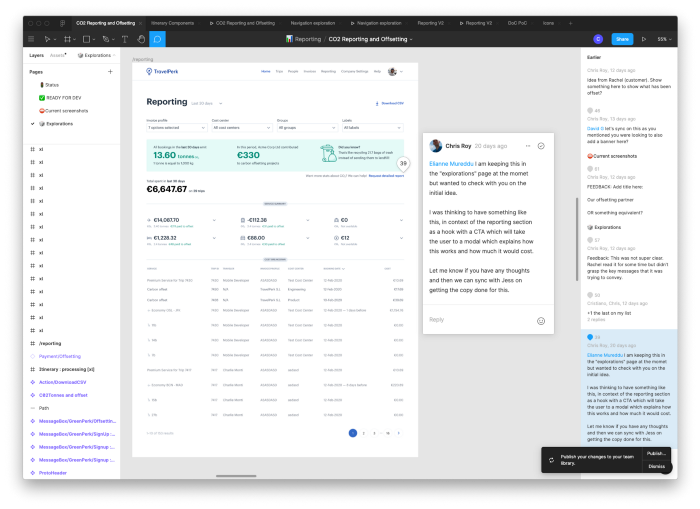
I encouraged the team to try creating their next project in Figma, using real-world situations to see if it would work for their needs. This would allow them to also test out commenting and collaborating with their PM and engineers — whom are also very important stakeholders in this decision.
Setting the vision — why even bother?
Throughout the transition, one thing that I kept very clear was the “why”. I had to first make sure that the product design team also shared the same views on what I considered to be points of friction. It was clear that some felt it more than others, but as a whole there was an agreeance.
Extending beyond the immediate team, I was also checking in with PMs and engineers to hear of their current struggles with our process to make sure that, where possible, we could also address those issues. This collaborative approach definitely plays out better than dictating a switch without first gathering this input.
Set a deadline
One thing that I believe really helped the process was being clear with the team on expectations. They were given a generous amount of time in which they could trial and challenge the new process, then by the end of January we were to collectively decide if we should make the switch or not.
After a unanimous agreement that making the switch would work better for us, a second date was set to move everything out of Sketch/Abstract and into Figma. The most important things to move were our design system files which I had already made good headway with during the “kicking the tires” phase. Then, any new projects were just started from within Figma. In the end, the switch was relatively painless.
By the end of February all contributors were removed from Abstract and the entire engineering and product team invited to Figma. There was a brief all-hands presentation before handing over to each of the designers to take ownership of on-boarding their respective squads. This allowed them to set the guidelines of how we work as a team but also allowed them to customize their specific workflows as required for each squad.
So, what makes this a worthwhile switch?
Collaboration — there, I said it!
Despite being a previous naysayer, having fully adopted Figma and all of it’s collaborative features, I must say that I am a convert. The biggest impact for the team has probably been the ability for the copywriter to work side-by-side with the designers. No need to push and pull and sync branches. Figma will always have the latest version right in front of you.
As an example in practice: our UX Copywriter had changed some copy which broke the UI.I was then able to go in and directly fix the master component making it inherently more flexible. From her flagging the issue to me fixing it took less than 10 seconds, which previously would likely have taken a minute or more. These moments where you need to crossover with colleagues has opened up completely new ways of streamlining how we work.
An open ecosystem
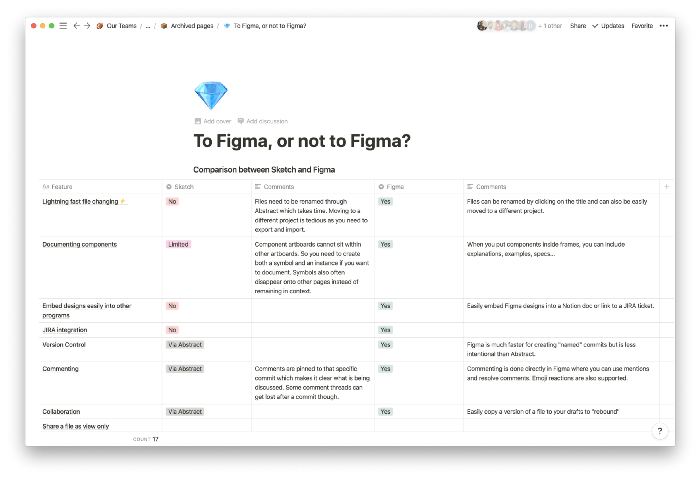
Although we could share our previous design work with the wider team through Abstract on the web, it was not without it’s flaws. Figma, being built in the browser from day one means that the performance and usability is inherent — making it much easier for PMs and engineers to weigh-in. It was also a game-changer in the sense that it was platform agnostic meaning that non-Mac users could easily dive in to a file if needed — which was always a blocker with Sketch.
Another benefit of being web-based is that it allows a greater level of extensibility given that you are working with URLs for your files. This has allowed design work to be easily embedded into other tools like Notion or JIRA without the need to export a static version of your artboards.
Should I switch too?
That’s entirely up to you! I did not write this article to say that any of the tools we moved away from are bad. They were just a bad fit for the evolution of our team. As we continue to scale the team, our needs and ways of working need to adapt. Given our specific needs, Figma was best placed to answer to those needs, for now.
Another point to make is that our process is by no means “perfect”. We are still learning and adapting every day. Some topics which are not yet “solved” are:
Understanding the status of each project/component
Connecting design components with code counterparts (though this has improved through better naming)
Having prototypes with multiple start points (for each breakpoint for example)
Having version context alongside the comments
I think having a healthy competition between tools can only benefit us, allowing each tool to carve their niche and to avoid a slow-moving monopoly like we had in the past. Maybe some things here can be taken away by some of the tools as they look to improve their offering and pricing and hopefully helps some other design teams to decide on whether or not they should make the move.
If you would like to follow up with any in-depth questions, feel free to reach out to me via LinkedIn or drop a comment below.